Update FastTrack Eva Controls
We have made some updates to how you can control calls in FastTrack. See below for an overview of the changes.
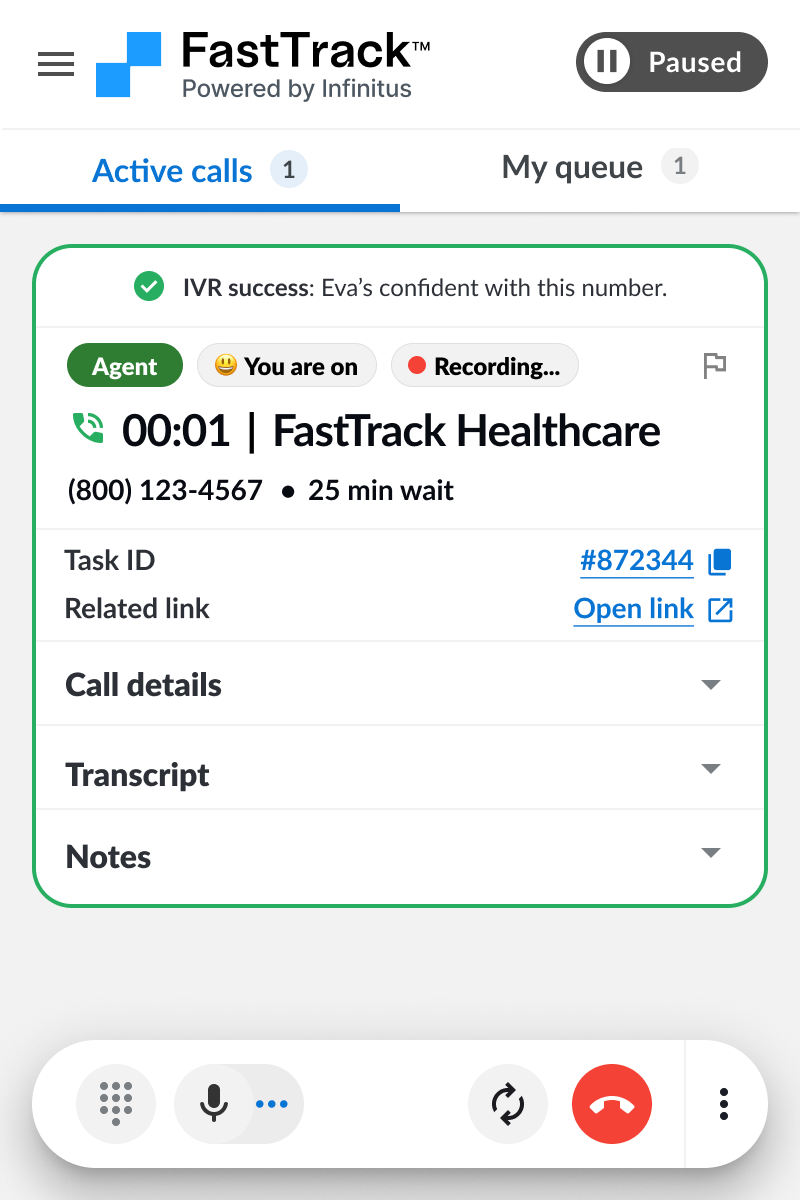
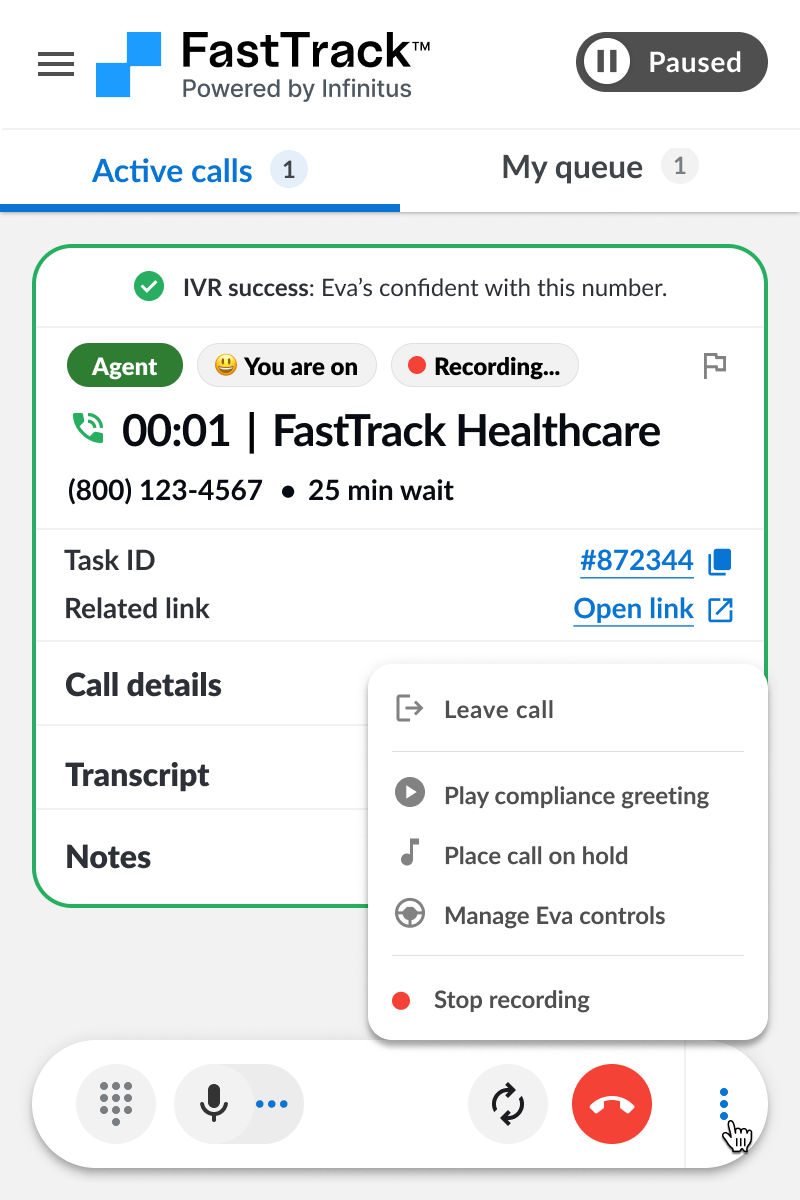
Updated call control bar
We have a new simplified call controls bar to manage everything you need during a call.
Our previous version had call controls being split across two different locations.
Consolidated control bar, to access audio settings, the dial pad, and a quick audio refresh.
Access all call controls in
one central place with
stronger organization.
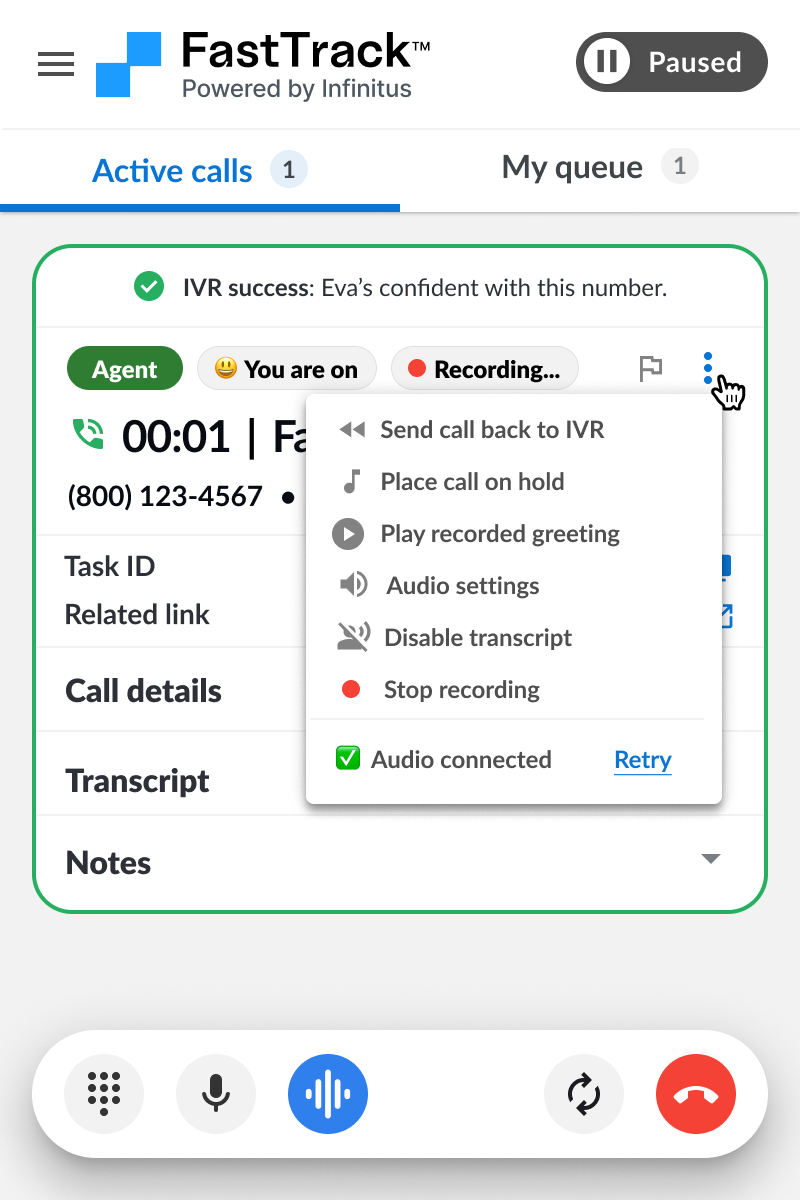
Simplified Eva Controls
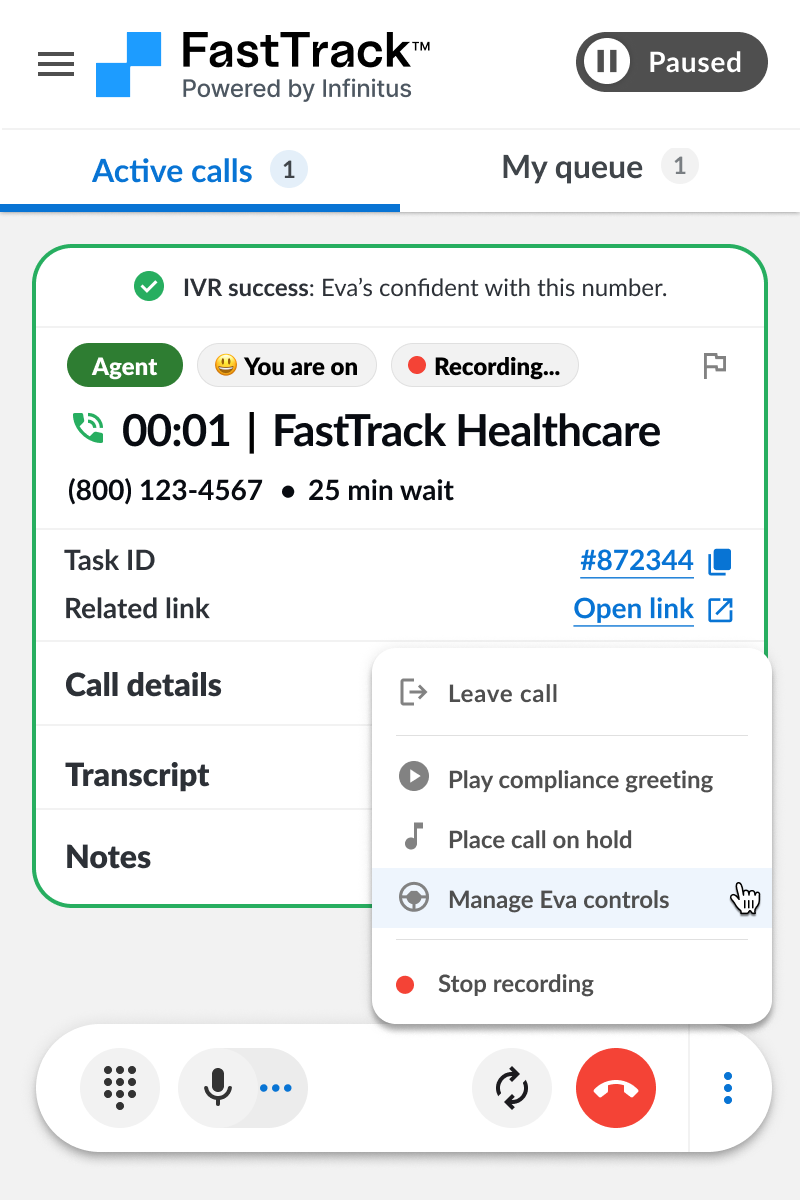
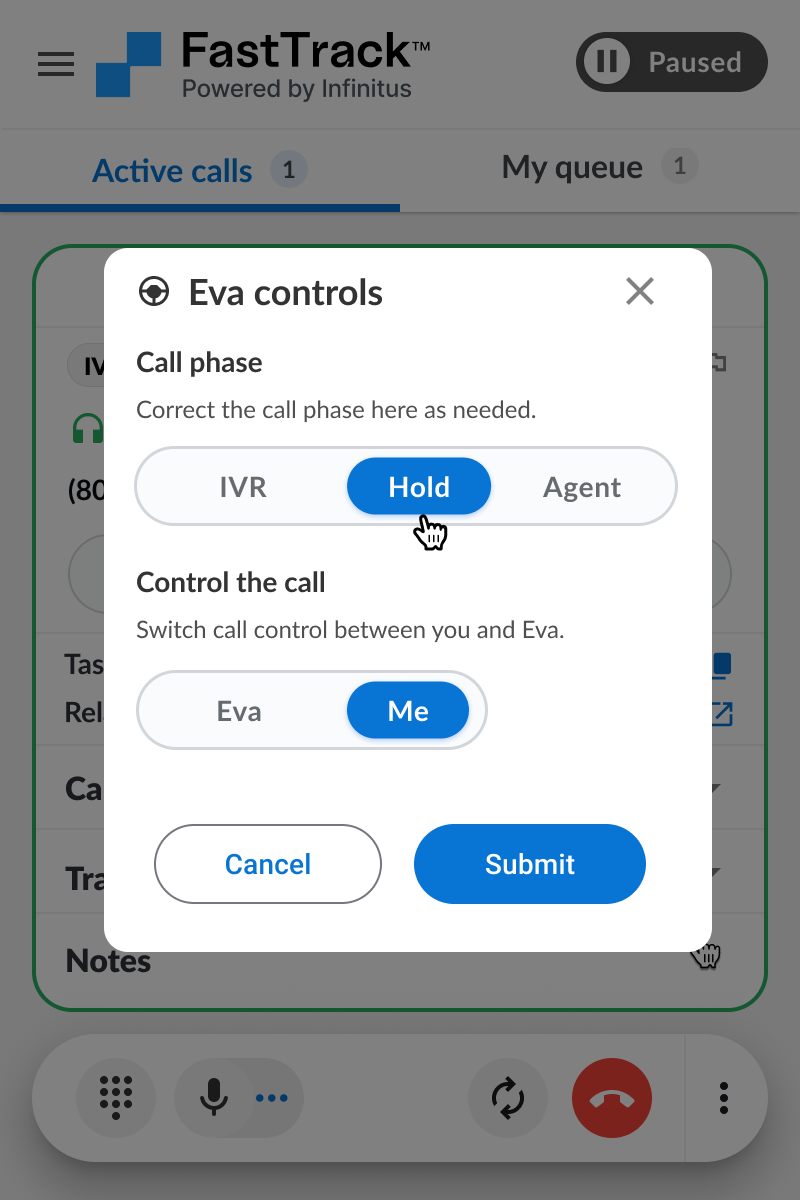
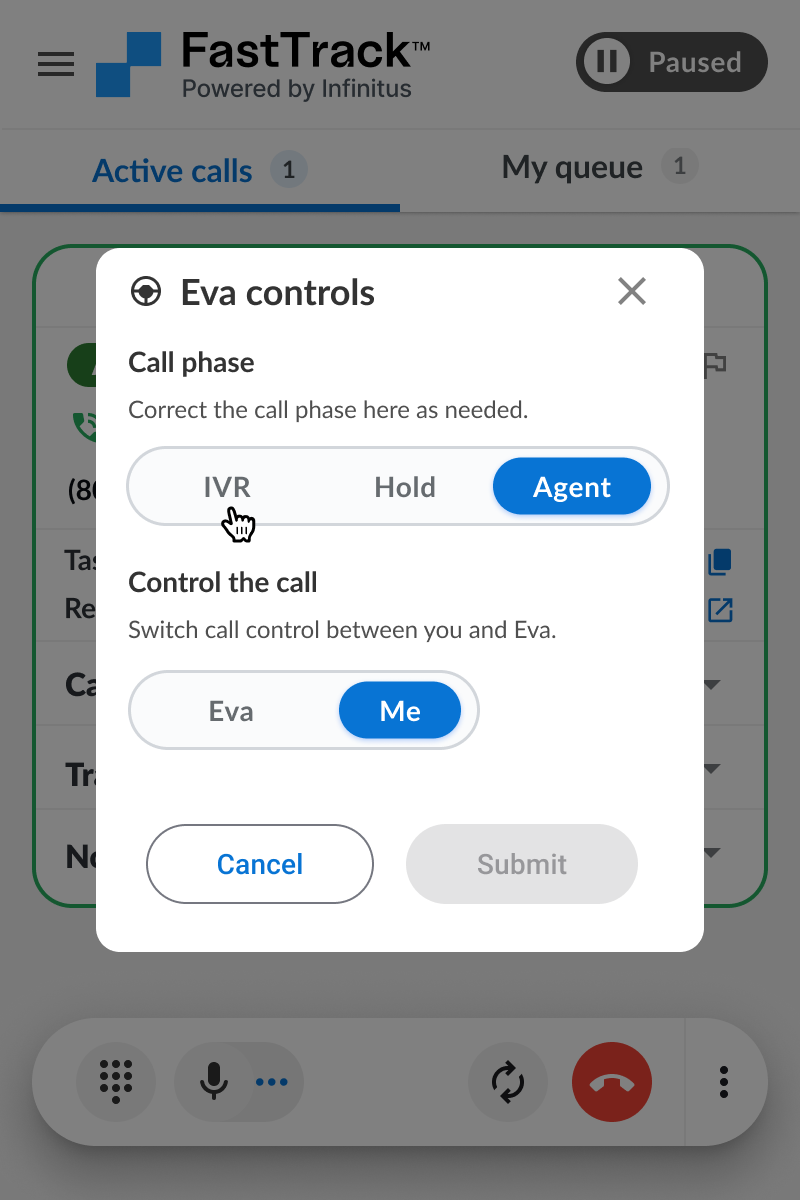
A new and simpler way to manage call phase and who is driving each call.
Access Eva controls from the call controls menu at anytime during the call.
Full control of what phase the call should be in and who should be driving the call.
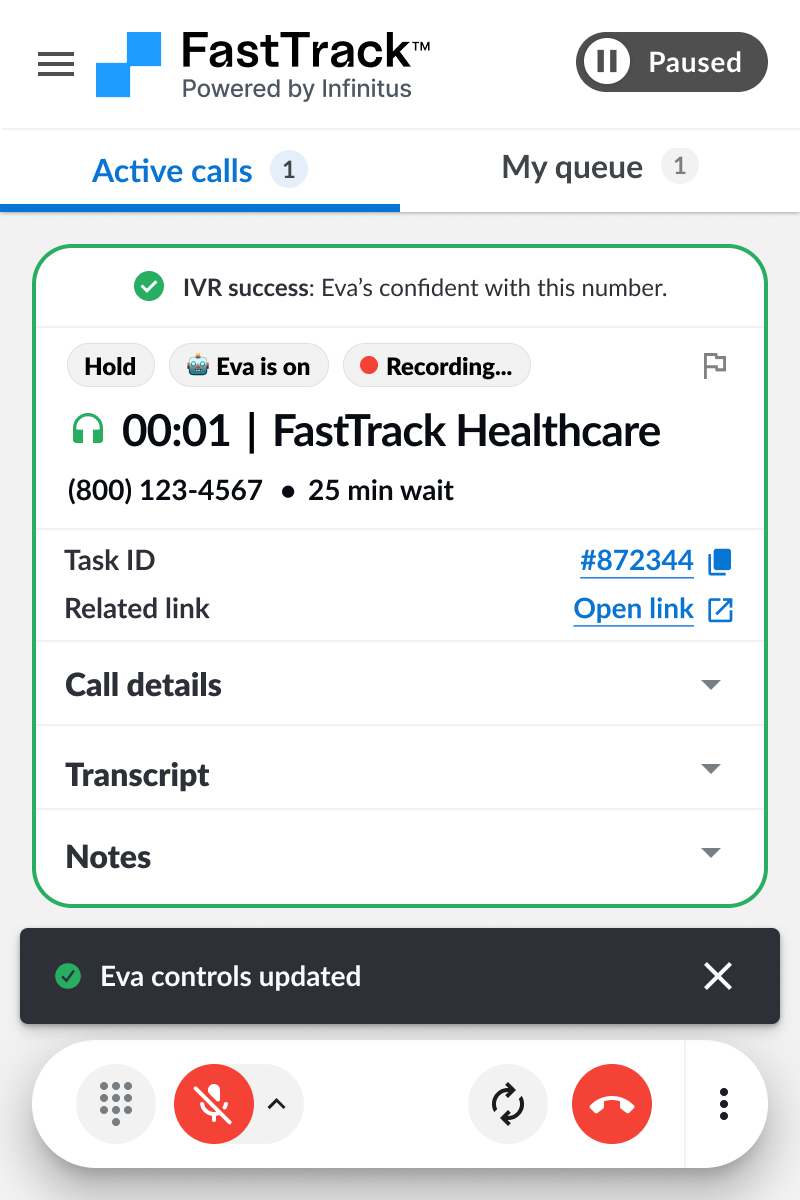
If transferred, pass the call back to Eva for her to wait on hold
for you.
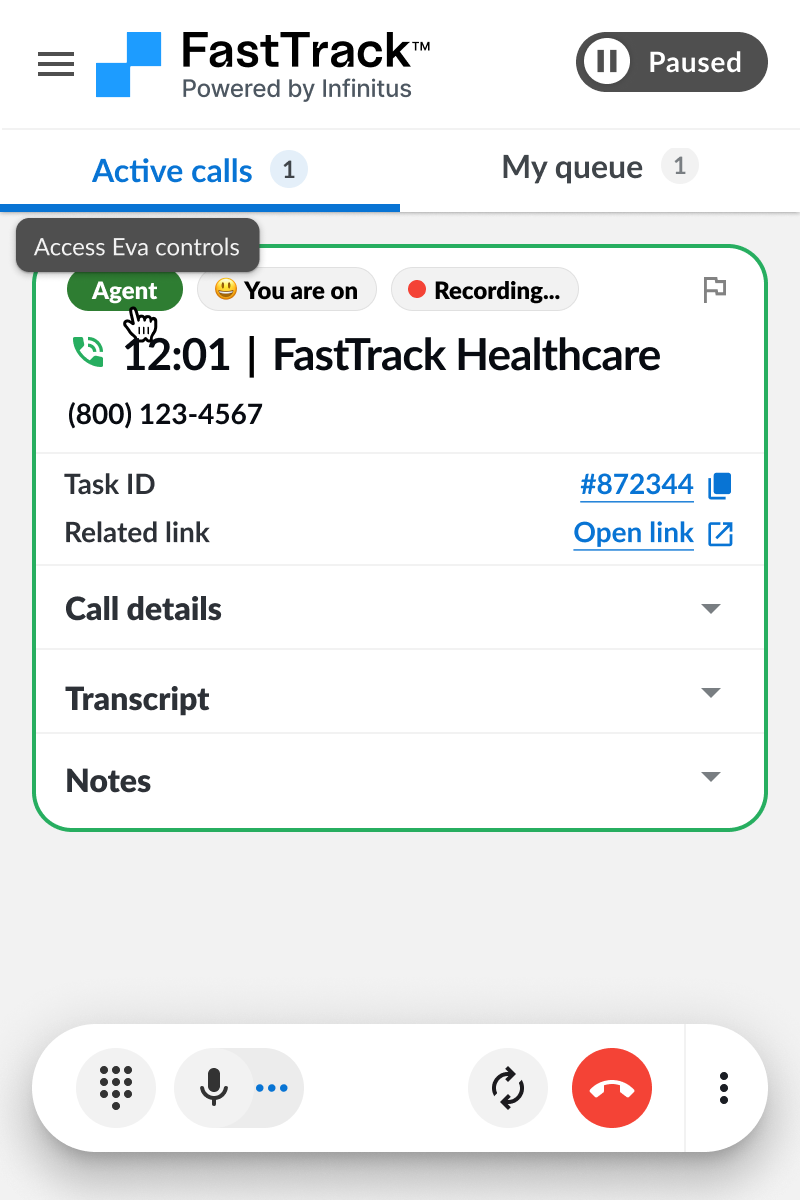
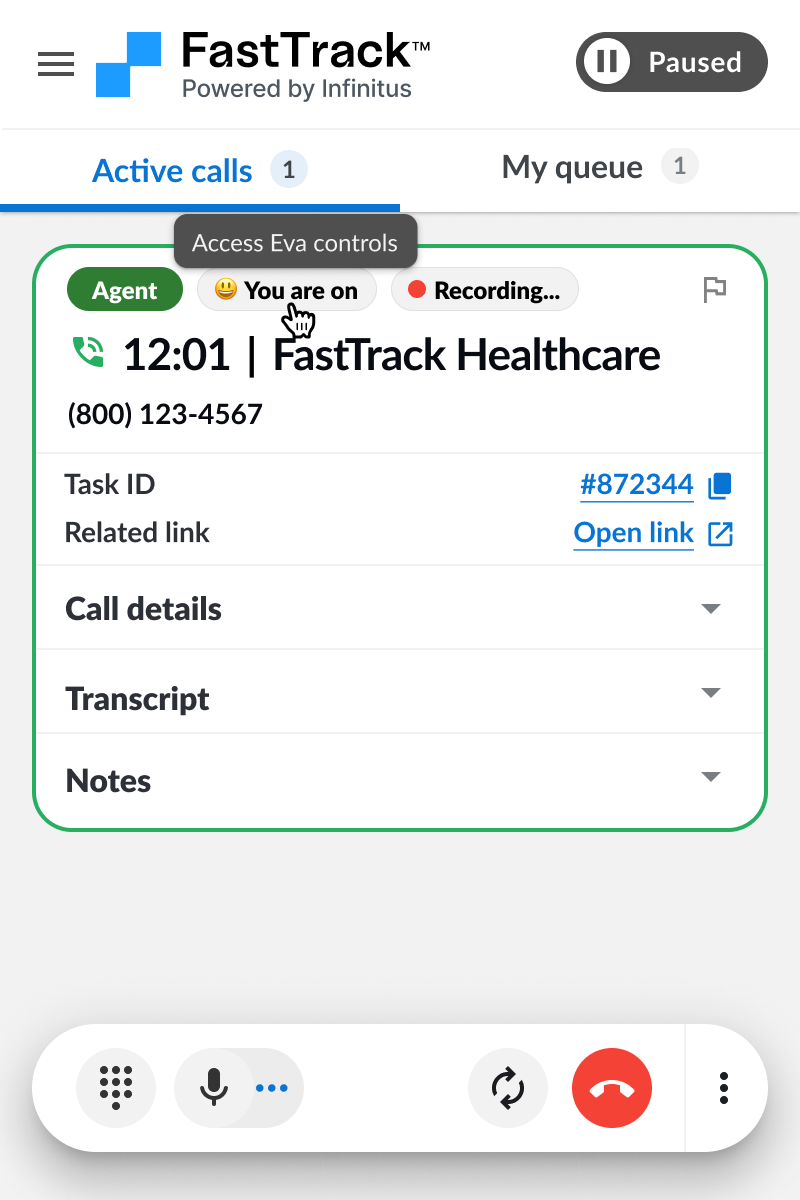
Eva controls are also accessible from the call phase and control chips.
Click the call phase chip to open the Eva controls UI and make edits.
Click the “You are on” chip or “Eva is on” chip to open the Eva controls UI and make edits.
You can make edits to the call phase or who is controlling the call.